
Blog

What Is a Home Audio Intercom System?

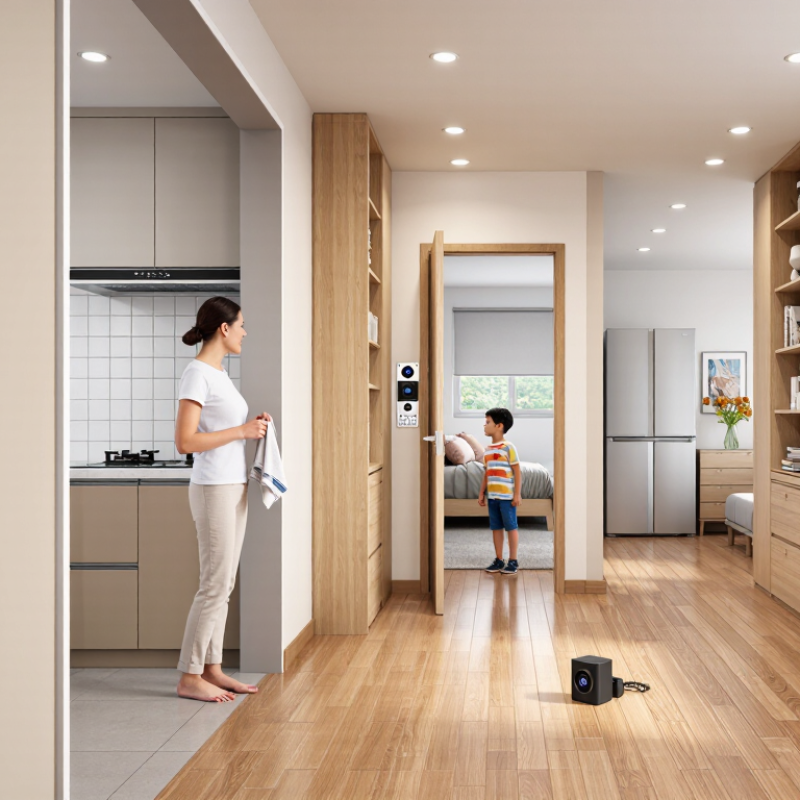
A Home Audio Intercom System connects rooms through microphones, speakers, and controls, letting people speak without calling across the house. In a typical setup, a parent can answer a child’s call from the kitchen, or a visitor can be heard from an indoor station. Some systems also play music or connect with door-entry equipment. Features vary, so the product name alone does not tell you what a unit can do.

Sound and listening expert Julian Treasure has said, “We are losing our listening.” His observation points to a practical reason intercoms still matter: clear communication can be more useful than another screen or notification. A well-planned system should make voices understandable at ordinary volume, with controls that residents can use without a manual. That matters.

The details shape the experience. A speaker near a tiled kitchen may sound sharper than one in a carpeted bedroom. Thick walls, background appliances, and microphone placement can affect voice clarity. No system is perfect. Even a good one may need careful adjustment, and a feature-rich model can feel fussy if the household rarely uses it. This guide explains how a Home Audio Intercom System works, what components it includes, and which everyday needs to consider before choosing one. It also looks at wired and wireless options, installation, and common limitations, so readers can compare systems with realistic expectations.
What Is a Home Audio Intercom System?

Definition and Purpose of a Home Audio Intercom System

A home audio intercom system is a set of indoor speakers and microphones that lets people speak between rooms. It connects selected rooms, floors, or entry points through a central control or a network. Some systems support two-way conversation, while others broadcast announcements from one location. Its purpose is to make quick household communication easier without calling or walking across the home. In a two-story house, someone upstairs might ask whether dinner is ready, and hear a reply from the kitchen. Simple, but useful.

In daily use, an intercom can help coordinate family routines, check on someone in another room, or announce a visitor at the door. Voice communication is quick, though it offers no visual confirmation. A speaker may also miss quiet speech when a television is on or a door is closed.

It does not replace smoke alarms or other dedicated safety equipment. That distinction matters. Room layout, wall materials, and background noise can affect how clearly people hear one another, so the system may work unevenly in real homes.

Tips: Place units where people naturally pause, such as near a kitchen counter or hallway. Test them with doors both open and closed. Keep microphones away from fans and appliances; steady noise can muddy speech. A small dead spot may remain, even after careful placement. Check it before settling on a permanent setup.

Main Components and Their Functions

What Is a Home Audio Intercom System?
Main Components and Their Functions

A home audio intercom links rooms so residents can speak to one another without raising their voices across the house. Its central control unit routes calls and manages audio between connected stations. In some systems, it also plays music through room speakers. The unit may sit in a utility space or inside a wall-mounted panel. Placement matters: awkward access can make everyday adjustments frustrating.

Room stations are the points people use to call, answer, and adjust volume. A station may combine a microphone, speaker, call button, and privacy control. Some models are hands-free; others use a handset. Listen for clear speech at normal room volume, not just loud playback. Small detail. Microphones and speakers carry the actual conversation, while wiring or a wireless connection links them to the control unit. Wired setups often need planning before walls are finished; wireless systems depend on reliable signal coverage.

A power supply keeps the system running, and a door station can add communication at an entrance. Some installations include a camera, but video is not essential to an audio intercom. Controls may let users select rooms, answer calls, or mute a station. That matters. Room labels should match how people actually describe spaces, or calls can go to the wrong place. One easy-to-miss point: test stations from several rooms before settling on their final locations. A hallway may seem convenient, yet sound can be harder to hear there.

What Is a Home Audio Intercom System? - Main Components and Their Functions

Component Main Function Typical Location How It Works in the System
Master station Controls calls and communication between stations. Kitchen, hallway, or another frequently used area. Lets a user select or contact another station, answer incoming calls, and, on some systems, make an announcement to multiple rooms.
Room station Provides two-way voice communication from an individual room. Bedrooms, living rooms, offices, or other indoor spaces. Its microphone and speaker allow occupants to speak with another station. Available call and announcement features depend on the system design.
Door station Connects an exterior entrance with indoor stations. Near a front, side, or other regularly used entrance. A visitor presses a call button and speaks through the built-in microphone and speaker; an indoor station can receive and answer the call.
Microphone and speaker Capture and reproduce speech. Built into room, master, and door stations, or installed as separate units. The microphone converts speech into an audio signal, while the speaker converts the received signal back into sound.
Wiring or network connection Carries audio, control signals, and, in some systems, power. Between stations, the system controller, and any connected equipment. Depending on the system, connections may use dedicated low-voltage wiring or a network-based link. Compatibility and installation requirements vary by design.
Power supply Provides the electrical power required by the stations and system equipment. At a central equipment point or within individual devices. A system may use a central supply, local power adapters, or compatible power over network cabling. The required arrangement depends on the equipment.
Call controls and indicators Help users start calls and identify incoming calls or system status. On the front panel of indoor and door stations. Buttons, lights, or audible tones may indicate a call, an active communication link, or a selected station.
Optional door-release connection Can operate a compatible electric door lock or release mechanism. Usually linked to the door station and the entrance locking hardware. Some systems provide a control output that can trigger a compatible release after a user verifies a visitor. The lock and wiring may require separate equipment.
Optional audio source or amplifier Distributes music or other audio through compatible room speakers. At a central equipment location or connected to selected stations. Some home intercom systems support shared audio, but this is not a feature of every system and may require additional equipment.

How Audio Intercom Communication Works

What Is a Home Audio Intercom System?
How Audio Intercom Communication Works

A home audio intercom connects stations placed in rooms, hallways, or near an entrance. When someone presses a call button, the receiving station signals the other person, often with a tone or light. After the call connects, a microphone captures the speaker’s voice and turns it into an electrical or digital signal. The system routes that signal to the other station, where a speaker converts it back into sound. Simple, but not magic.

Some systems use dedicated wiring between stations; others send audio over a home network. The connection affects installation and may influence how well the system handles interference or network interruptions. In a two-way system, both people can speak and listen at once. Other models use push-to-talk: one person speaks while holding a button, then releases it to listen. Check the system’s instructions, since controls differ.

Distance and room acoustics matter. A station beside a noisy kitchen may pick up a running extractor fan, while a microphone placed too far away can make quiet speech hard to hear. Adjusting volume helps, though it cannot fix every echo or weak connection. Test calls from the rooms where the system will actually be used. Real homes are rarely as quiet as a showroom.

Common System Types and Installation Configurations

Home audio intercom systems generally use wired, wireless, or hybrid connections. A wired setup links room stations with dedicated cable, often through a central controller. It can provide steady room-to-room calls, but installation may mean opening walls. That matters in finished homes. Wireless systems use radio or a home network, reducing new cable runs. They can suit renovations, though thick walls and busy Wi-Fi may affect performance. A hybrid layout keeps wired connections in key areas and uses wireless stations elsewhere. No setup is perfect.

A common configuration places a main station near the kitchen or entry, with smaller units in bedrooms and a garage. Add a door station if visitors need to call inside; choose a sheltered spot with clear microphone pickup. In larger homes, divide stations by floor or zone, then test calls with doors closed and appliances running. This can reveal weak audio before walls are patched. Network-based systems may also connect to phones, but app access depends on the home network and power. Keep essential stations usable without a phone. Cable routes, power outlets, and future repairs deserve attention too; a neat plan can still be awkward to service.

Home Audio Intercom System Configurations

The chart compares example device counts for three common setup approaches: a wired single-zone system, a wired multi-zone system, and a wireless retrofit. Counts are illustrative layouts, not fixed limits; actual system capacity depends on the equipment and installation.

Typical Uses and Key Selection Factors

A home audio intercom system connects rooms or entry points through microphones, speakers, and a central controller. Residents can call someone upstairs, answer a front-door station, or broadcast a brief message to several rooms. It is useful when hands are wet in the kitchen or a bedroom is far from the entrance. Some systems also support video or smart-home connections, but audio-only models can be simpler to operate.

Use patterns should guide the design. A busy household may need room-to-room calling, while a small home may only need an entry station and one indoor speaker. Parks Associates’ 2023 consumer research reported that 45% of U.S. internet households owned at least one smart-home device. That broad figure is not intercom-specific, but it suggests why compatibility matters. IDC forecast 892.3 million smart-home device shipments worldwide in 2024, up 6.7% year over year. Check network requirements before buying; a connected feature is less helpful when Wi-Fi is weak near the garage.

Compare speech clarity, coverage, wiring, and privacy controls. Ask whether conversations remain local or travel through an internet service. Test sound from the noisiest room, not just a quiet showroom. A system with more features can also mean more setup and maintenance. That trade-off is easy to underestimate. For older homes, confirm whether existing wiring can be reused, and leave room in the budget for installation.

Copyright © 2025 The Toolroom Inc. All Rights Reserved.
Website Design St Louis by IQComputing